
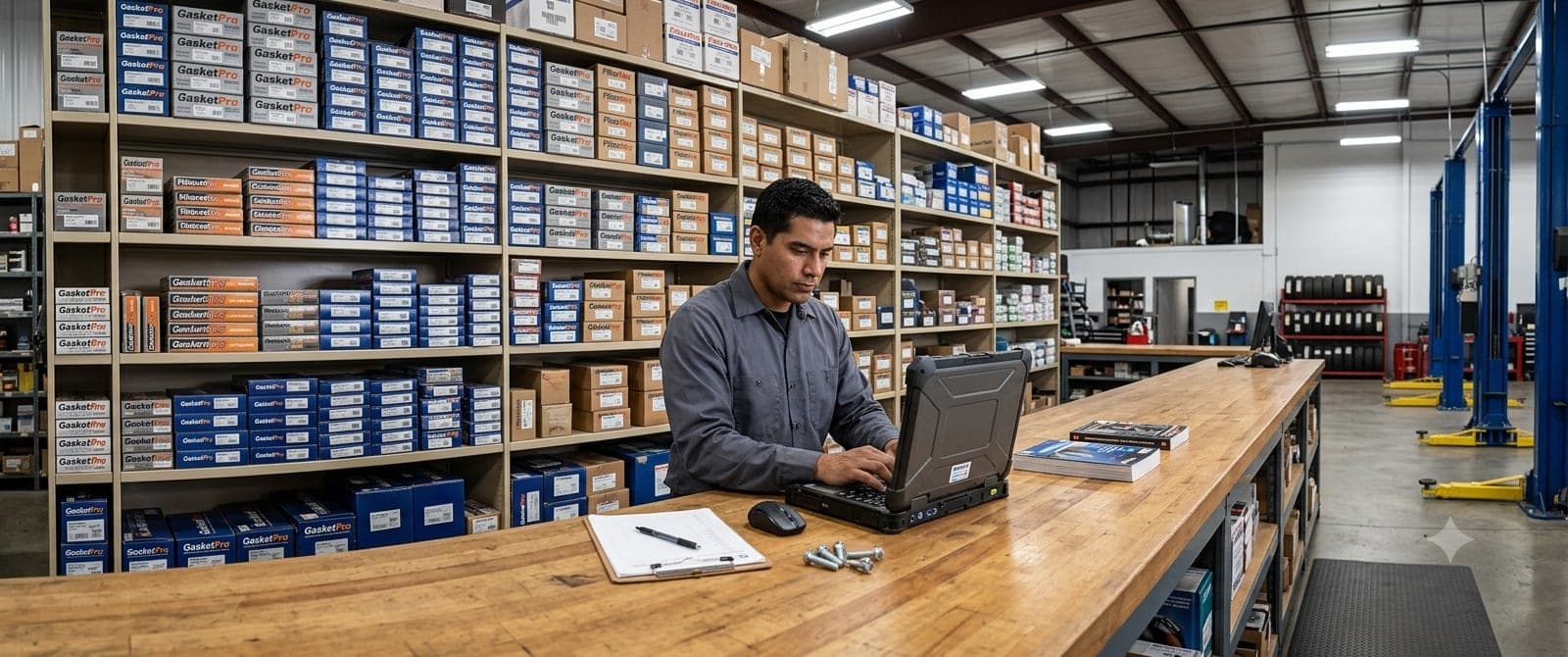
Re-typing the same parts on every job? Parts Inventory gives you a reusable catalogue with consistent pricing, faster jobsheets, and a clear view of your margins.
Today we're rolling out one of our most-requested features: Parts Inventory. It's a reusable catalogue, a price book for the parts your garage fits most often. Set a part up once and it's there for every job, at the right price, for everyone on your team.
Why we built it
Up to now, when you added a work item to a jobsheet, Garage Shift suggested items you'd typed before. That helped, but those suggestions only ever mirrored what was entered last time, prices and all. So the same brake pad set could go out at one price on Monday and another on Friday, and there was no single, trusted list to work from. Over hundreds of jobs that adds up to inconsistent pricing and no real picture of what each job earns. Garage owners kept asking us for a better way, so we built one.
Parts Inventory lives in its own section of your dashboard. It's your master list of the parts you sell, each with its own price, so the same oil filter costs the same whether it's the first job of the day or the hundredth, no matter who writes the jobsheet.
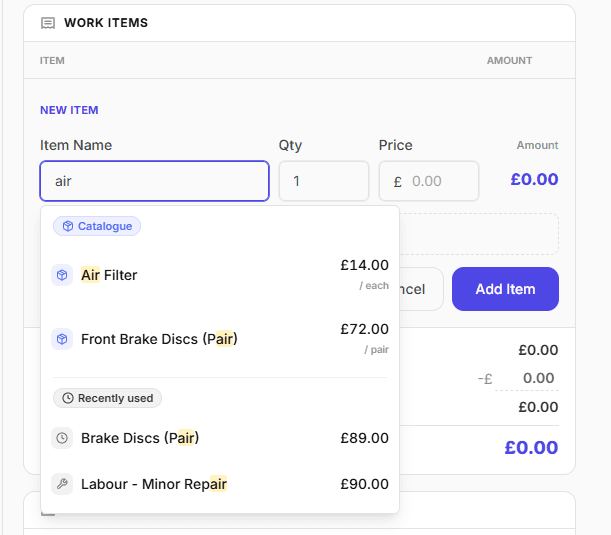
The real payoff shows up on every jobsheet. Start typing an item and Garage Shift suggests matches from your catalogue first, then from items you've used recently. Pick one and the name, price, and description drop straight onto the line, with no re-typing, no hunting for part numbers, and no guessing the price.
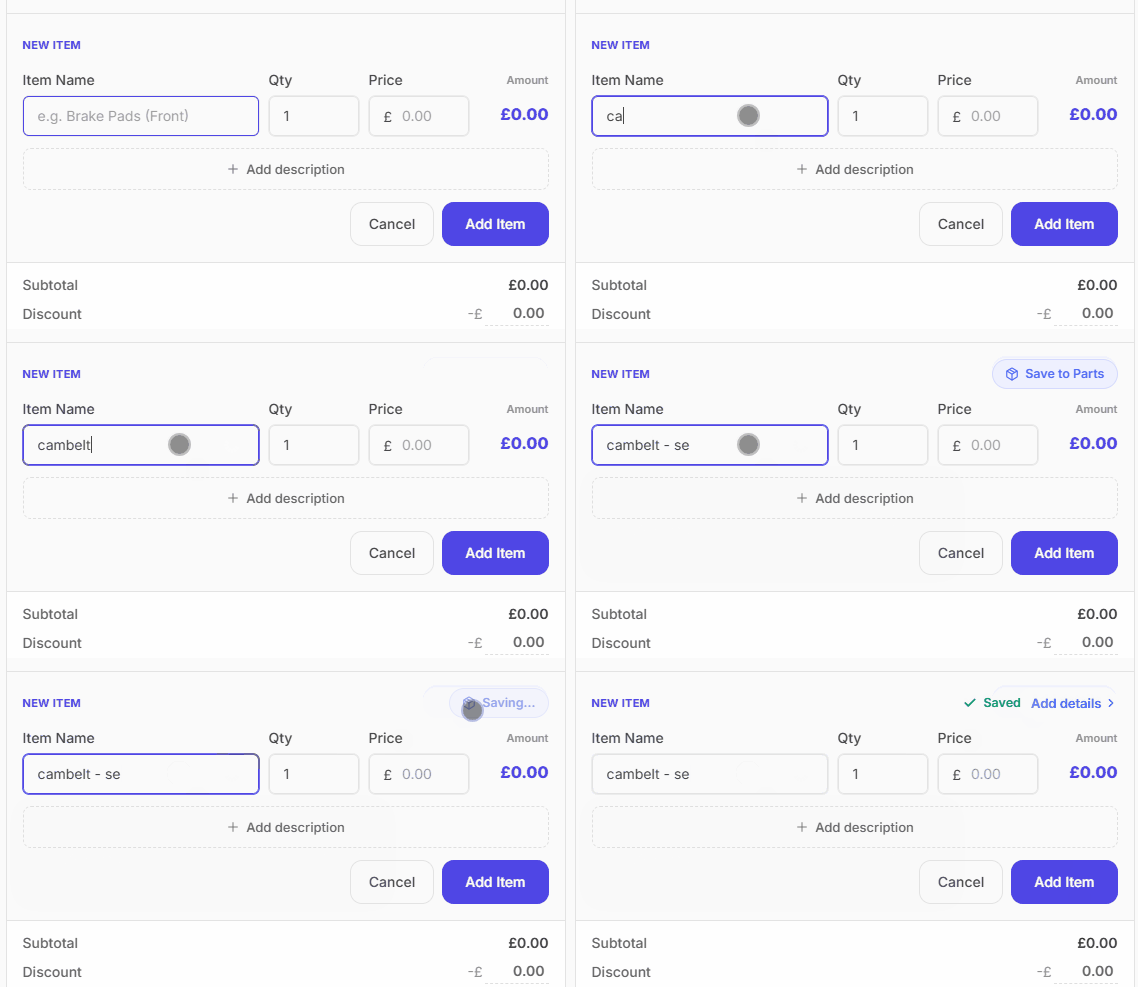
And you don't have to set it all up in advance. When you add a work item to a jobsheet, an option to save it to your catalogue appears right there. Add a SKU, category or cost price if you want, and it's in your price book for next time. Your catalogue grows naturally out of the jobs you're already doing.
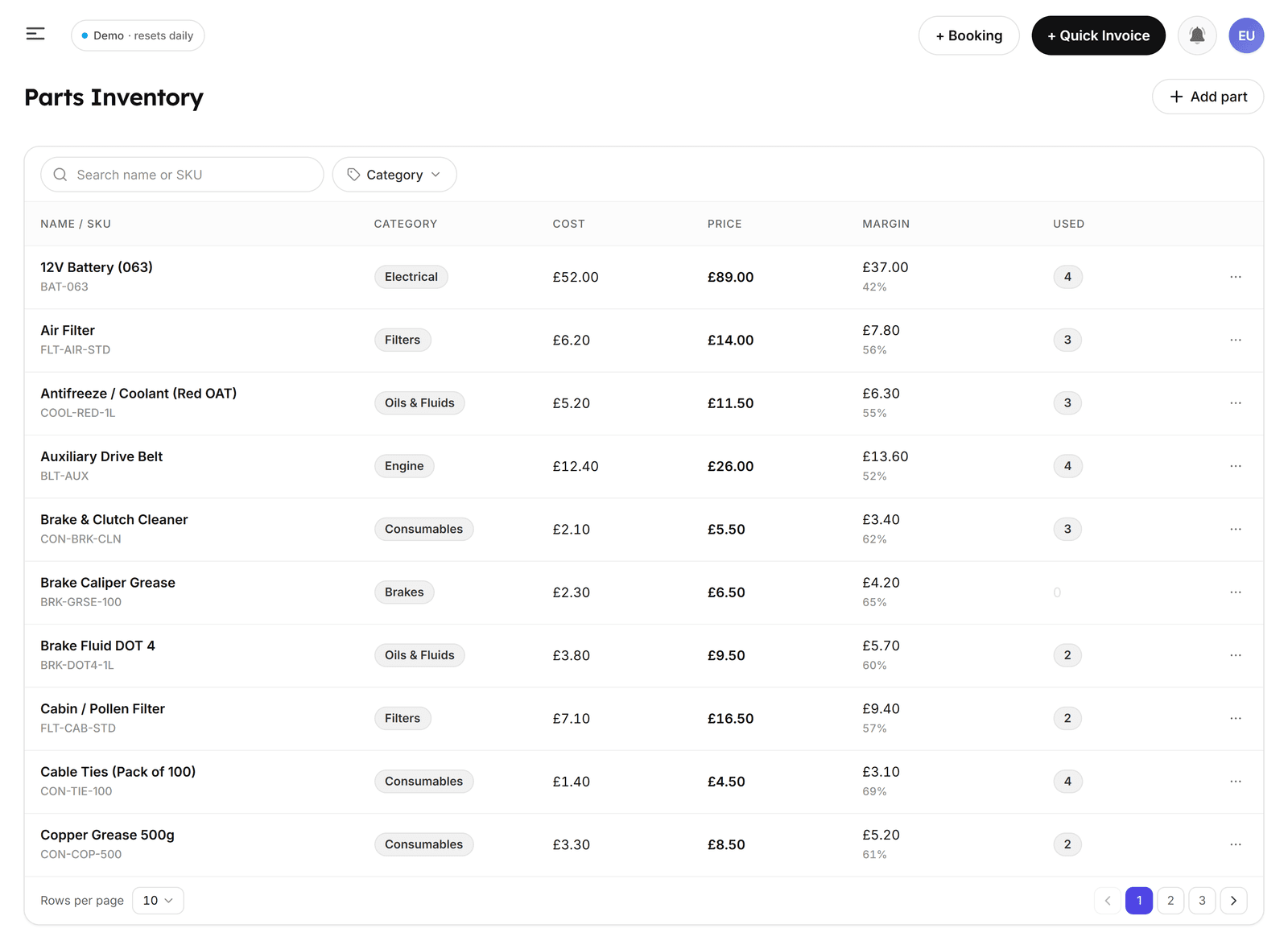
And once you add a cost price, Garage Shift works out your margin automatically, so you can see at a glance which parts are earning their place on the shelf.
Cost and margin are for your eyes only. They never appear on customer invoices, PDFs, booking pages, or emails, so you get the profitability insight without ever exposing your buy prices.
It fits the way you already work
Parts Inventory is there when you want it and out of the way when you don't. Free text still works exactly as before for labour, one-offs, and anything not worth cataloguing. Your existing jobsheets and invoices are untouched, and editing or removing a part never changes a job you've already completed. You can start with an empty catalogue and build it up at your own pace.
Parts Inventory is live in your dashboard right now. Add a handful of the parts you fit most often, start a jobsheet, and watch them come up as you type. Within a few jobs it'll already be saving you time.