Online Booking
A fast, branded booking page your customers can use anytime, anywhere.
Custom-Branded Booking Page
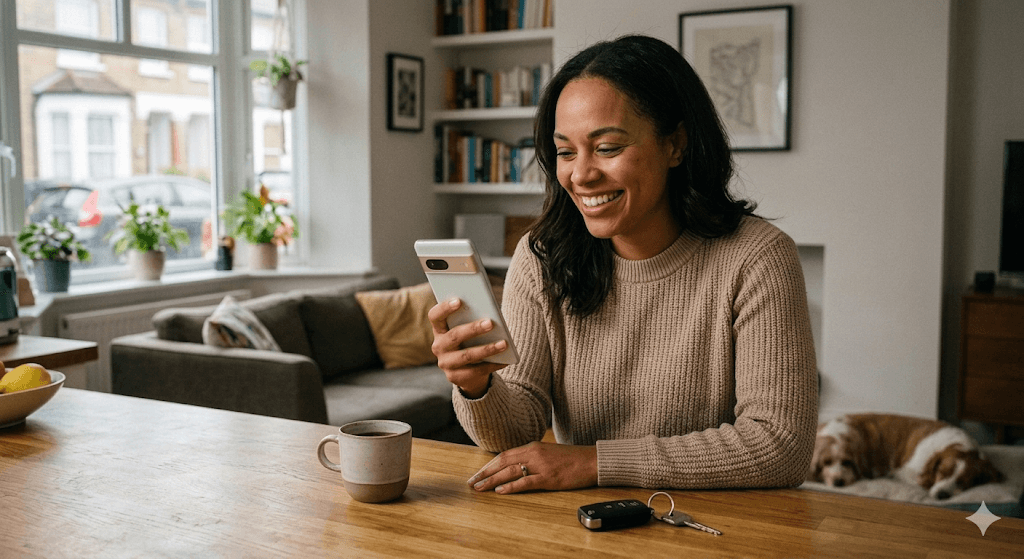
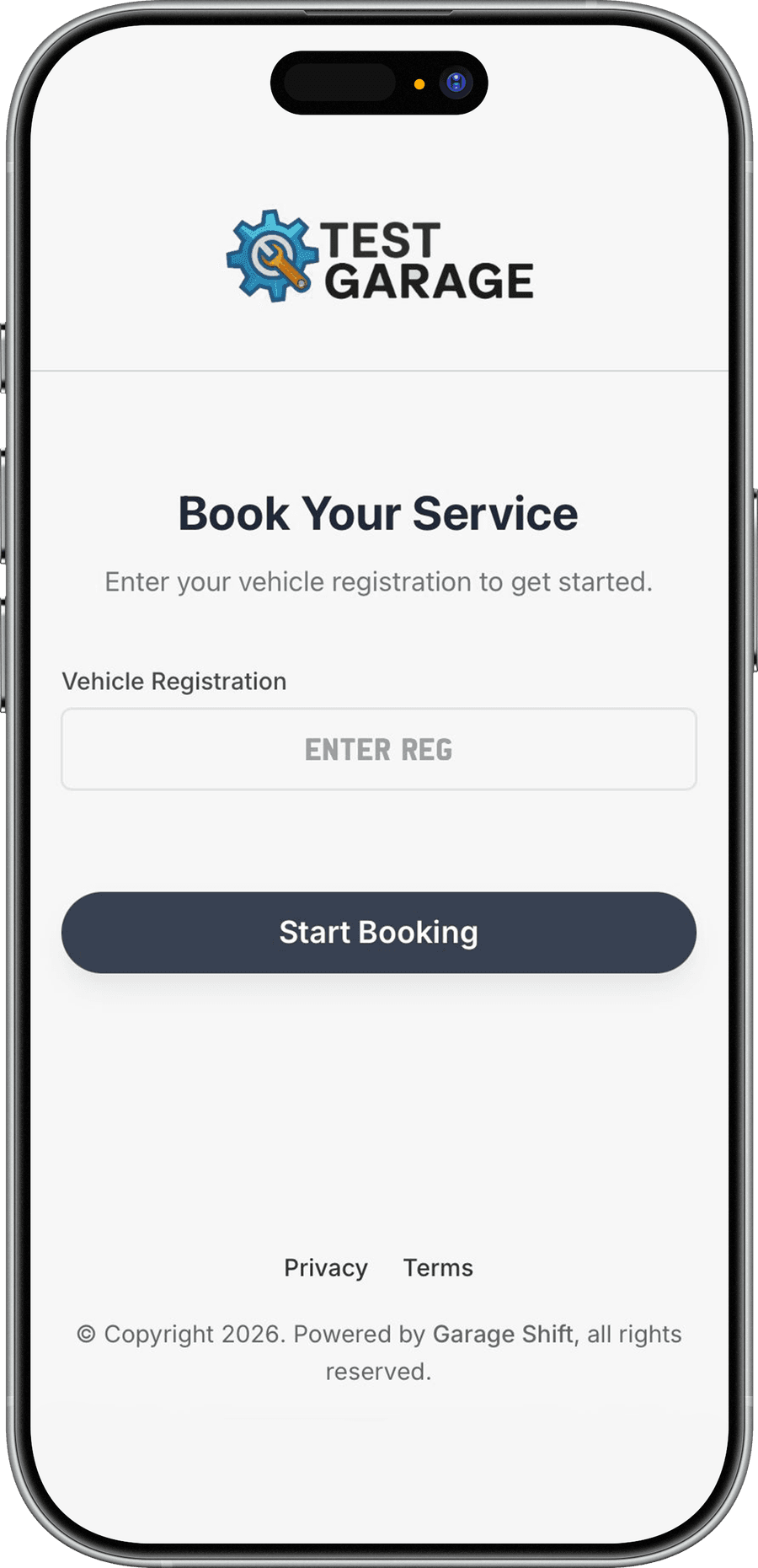
Your garage gets its own booking web page with a unique shareable link. Add your logo, customise the layout, and share it everywhere: your website, Google Maps listing, social media, or even printed on a business card. Customers see a professional, mobile-first experience that matches your brand.
- Unique booking URL you can share anywhere
- Upload your logo and customise the booking page appearance
- Mobile-first design that works on any device
- Link directly from Google Maps, Facebook, Instagram, or your website
- Built for high conversion with a clean, guided booking flow
Smart Vehicle Registration Lookup & Flexible Scheduling
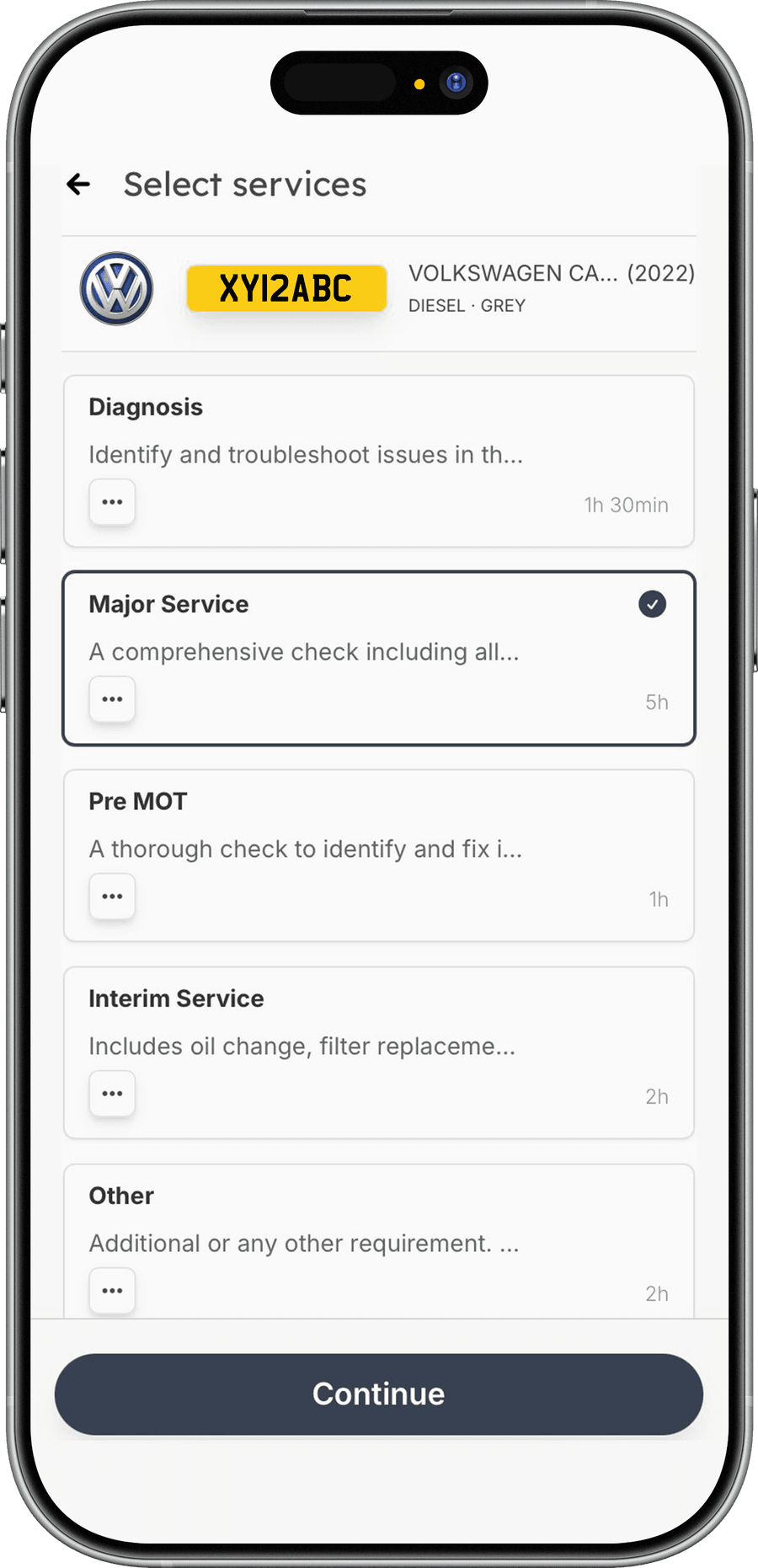
Customers enter their registration number and Garage Shift auto-fills make, model, colour, fuel type, MOT expiry, and tax status from the DVSA database. From there, they pick a time that suits them, either a single slot or up to three preferred windows for you to confirm. Once booked, a jobsheet is created automatically, the booking appears on your calendar, and both you and the customer get instant confirmation.
- Instant DVSA lookup auto-fills vehicle details
- Simple mode for single-slot bookings or flexible mode with up to 3 preferred times
- Only shows available slots based on your working hours and parallel job limits
- Automatic email confirmation to the customer and WhatsApp alert to you
- Jobsheet auto-created with customer and vehicle details pre-filled
Smart Area Match for Mobile Mechanics
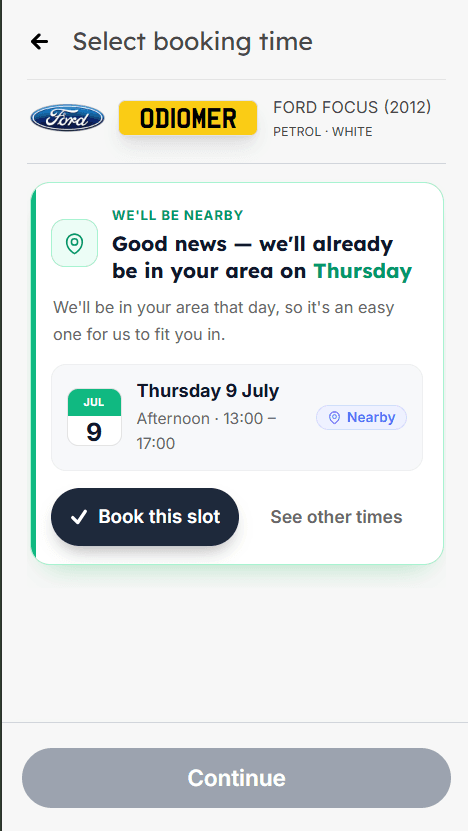
If you're a mobile mechanic, Online Booking does more than take bookings. It helps you cluster them. Smart Area Match spots when a customer is booking near a job you've already got on and nudges them toward the day you'll already be nearby, so your jobs group together and you spend less time driving between them. Explore it on the Smart Area Match feature page.
- Suggests the day you'll already be working near the customer
- Set one 'nearby' radius and it runs on every online booking
- Customers book the nearby day in a tap, or pick their own time
- Everyone's details stay private, with no addresses or distances shown
- Built for mobile mechanic accounts
Online Booking, answered.
More in the full FAQs, or read the guide to garage management software.
- Do customers need an account to book online?
- No. They open your booking page, enter their registration, pick a service and a time, and leave their contact details. There is nothing to sign up for and no app to download.
- Can customers book without me approving it first?
- That is up to you. Requests come to you to confirm before anything enters your diary, and the page only ever offers slots that fit your working hours and how many jobs you take in parallel, so nothing lands that you cannot actually do.
- Where do I put my booking link?
- Anywhere you already are: your website, your Google Business Profile, your Facebook or Instagram bio, a text message, or printed on a card or the side of the van. It is a normal public URL. Because the page is public it also gets indexed by Google, so it works as a shopfront as well as a booking form.
- Does the booking page work on a phone?
- It is designed mobile-first, which matters because most customers book from a phone in the evening. It also runs the DVSA registration lookup on mobile, so they type seven characters instead of filling in make, model and fuel type.
See it running before you decide.
A working demo garage with realistic data. No account, no card, no call.
£1 first month, then £50/month or £500/year.