Jobsheets & Invoices
From jobsheet to paid invoice, manage the full lifecycle from one place.
Manage Jobs with Smart Jobsheets
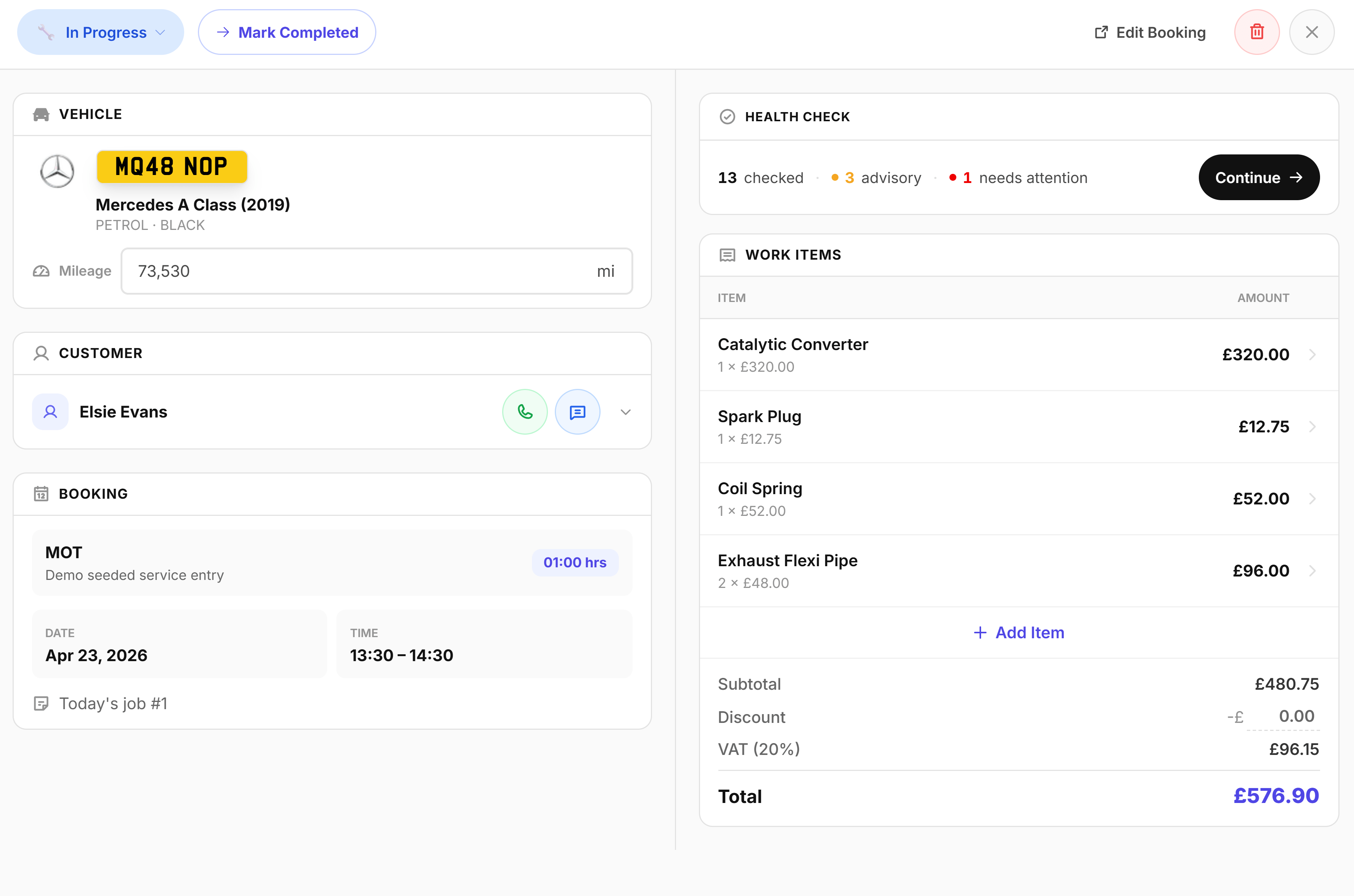
Jobsheets capture everything needed to complete a job efficiently. They're auto-created when a customer books online, with all customer and vehicle details pre-filled. You can also create them manually for walk-ins or phone bookings. Track status, record mileage, log parts and services, and build a complete digital record without paper clutter.
- Auto-created from online bookings with customer and vehicle info pre-filled
- Smart customer matching links to existing records or creates new ones
- Add notes, services carried out, and parts used in one place
- Track job status from pending through to completed
- Record current vehicle mileage at time of service
- Fully digital record-keeping without paper clutter
Professional Invoicing, Paid & Tracked
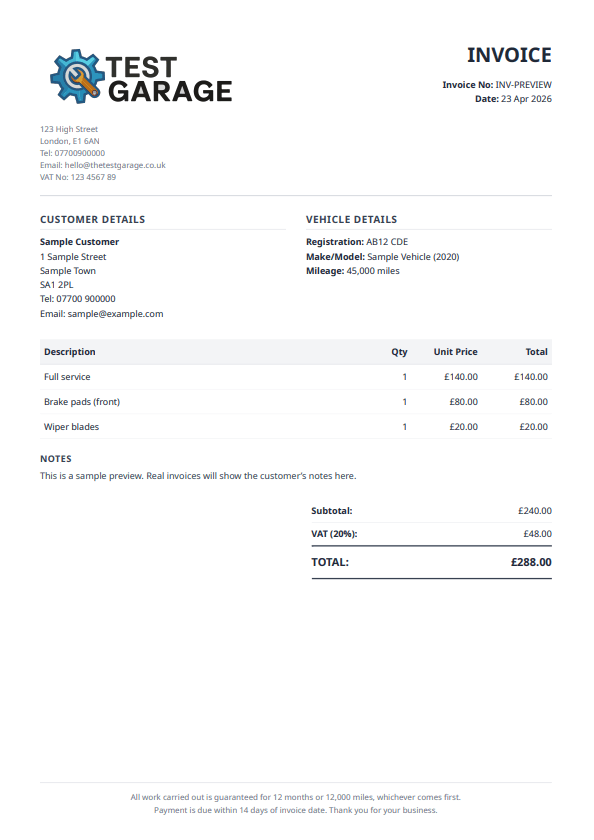
Generate polished, branded PDF invoices directly from completed jobsheets, or use Quick Invoice for walk-ins to skip the jobsheet entirely. Garage Shift handles auto-numbering, VAT, and line totals, then lets you email the PDF to the customer with a click. Track every invoice from draft to sent to paid so you always know where your money is.
- One-click invoice generation from any completed jobsheet
- Automatic numbering, VAT calculation, and line totals
- Branded PDFs with your logo and business details
- Email invoices directly to customers with PDF attached
- Track payment status: draft, sent, or paid
- Quick Invoice for walk-ins without a full jobsheet
Jobsheets & Invoices, answered.
More in the full FAQs, or read the guide to garage management software.
- Can I send an invoice from my phone?
- Yes. Build the jobsheet as you work, turn it into an invoice and send the PDF before you leave, which for a mobile mechanic is the difference between getting paid this week and doing paperwork on Sunday.
- Do invoices show parts and labour separately?
- Yes, itemised, so the customer can see what they paid for. Customers query a single lump sum far more often than they query the same total broken into a part and an hourly rate.
- Will my invoices go into my accounting software?
- Garage Shift syncs invoices to Xero automatically when you create or update them, through a one-click secure connection. Every sync is logged and a failed one can be retried in a click, so nothing is entered twice and nothing goes missing quietly.
- Can I put my own logo and details on the invoice?
- Yes. Invoice template setup with your logo and business details is part of the personalised onboarding, which is included in the price. If you would rather see the structure first, there is a free garage invoice template on the site.
See it running before you decide.
A working demo garage with realistic data. No account, no card, no call.
£1 first month, then £50/month or £500/year.